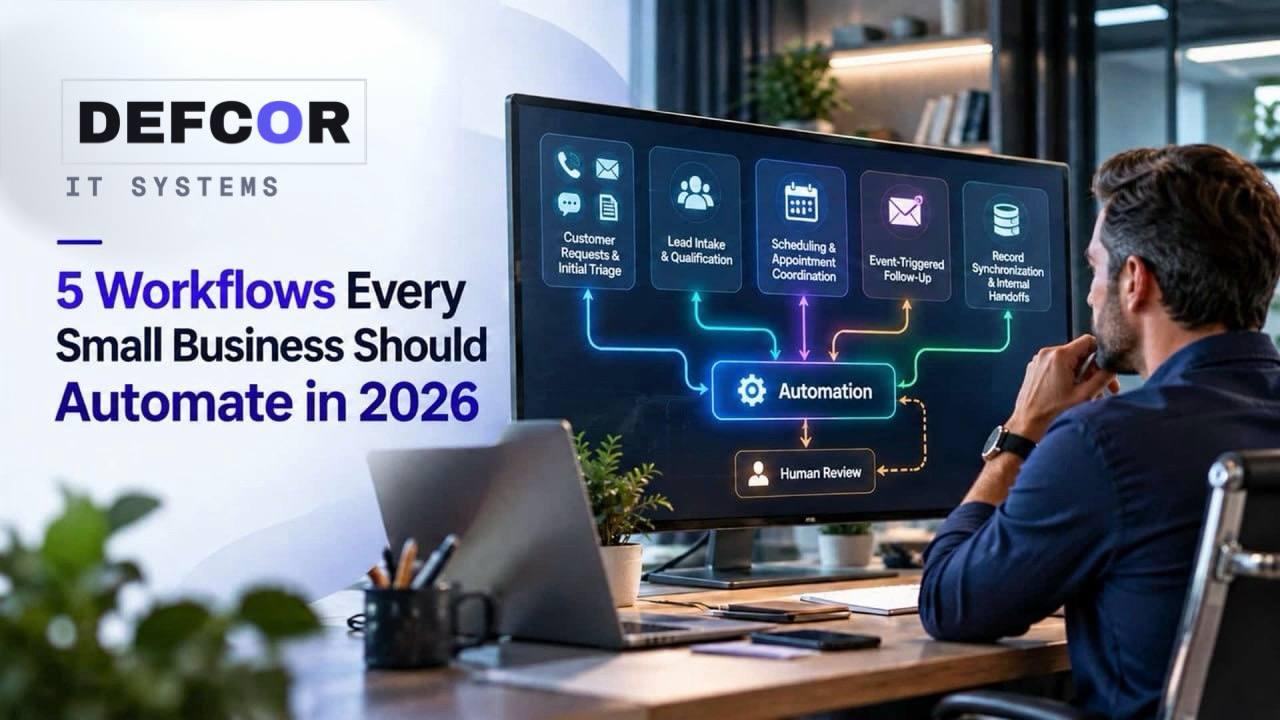
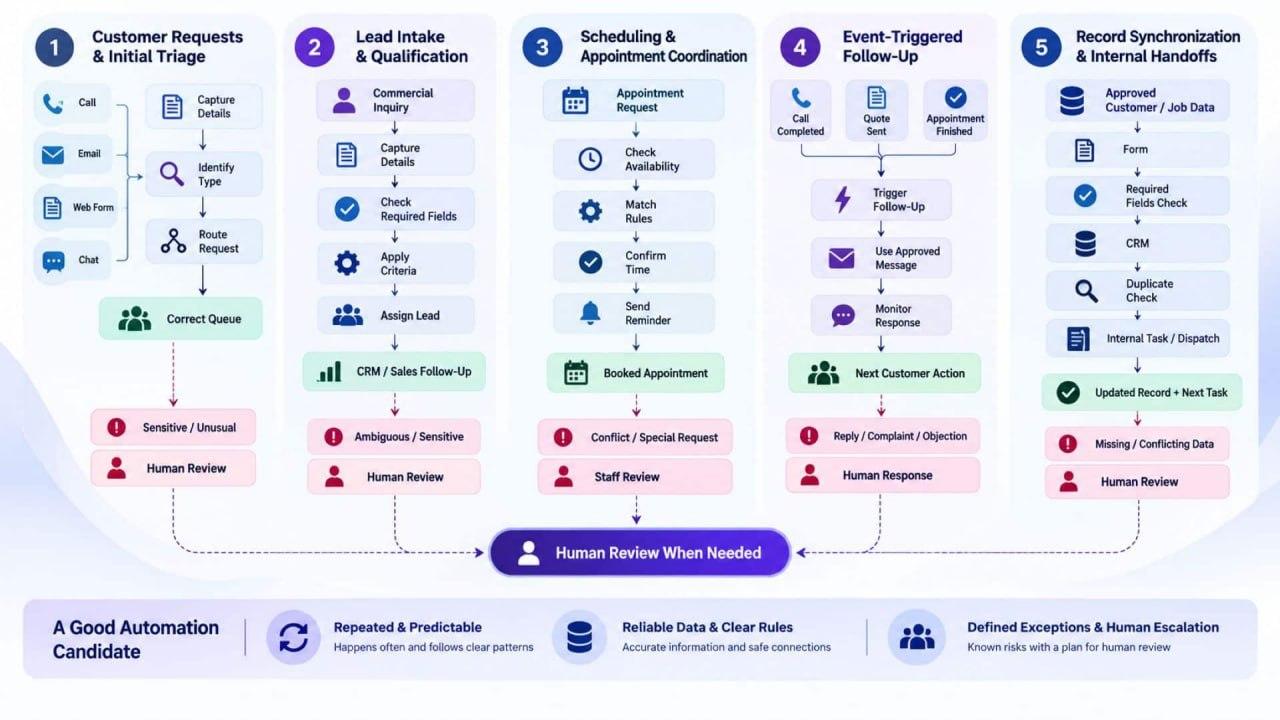
- 01.The best automation candidates are frequent, repeatable workflows with clear rules, reliable data, and defined exceptions.
- 02.Small businesses can automate customer triage, lead intake, scheduling, follow-up, and record synchronization without removing human review from sensitive or unusual cases.
- 03.A controlled pilot should start with measurable baseline data, limited permissions, realistic testing, monitoring, and a manual fallback.
Choose a Process Before Choosing a Product
A small business does not need to automate every task. It needs to find repeated work that delays customers, duplicates data, or leaves requests waiting. In 2026, small business workflow automation can combine fixed rules with AI that reads messages, summarizes calls, or classifies inquiries. That broader capability makes process selection more important.
The best workflow automation examples begin with a process whose trigger, inputs, normal result, and exceptions are understood. Automation may handle the routine path, while employees retain pricing decisions, sensitive conversations, approvals, and unusual cases. A workflow is not successful just because it runs. The records it creates must be accurate, and customers still need to reach the right outcome.
That is the practical limit of AI workflow automation for small businesses in 2026. Language models can interpret less structured information, but they still depend on accurate data, appropriate permissions, clear instructions, and monitoring. The five workflows below occur across many SMB operations and divide into observable steps without assigning every step to a machine.
Begin by watching how work moves today. Among the many business processes to automate, a strong first candidate happens often, follows recognizable rules, and ends with a result the team can verify. The business also needs to know where the process changes course. If employees solve a different problem every time, the work may benefit from better documentation before it benefits from automation.
A quick screen helps separate an attractive demo from a workable project:
These criteria explain the selection. The workflow automation examples sit at common handoff points, produce events that can be logged, and allow a narrow pilot. They are not a universal ranking. A business with poor calendar data may favor record synchronization, while another with heavy call volume may start with triage. Small business workflow automation works best when priority follows operational evidence.
- Frequency and predictability: The same trigger appears regularly, and most cases follow a known path.
- Data and connectivity: Required information is accurate, and the CRM, calendar, inbox, forms, or accounting platform can exchange it safely.
- Risk and exceptions: The team can identify failures, define when a person takes over, and limit actions with serious customer, financial, or compliance consequences.
Five Workflows With Practical Value
Workflow 1 Customer Requests and Initial Triage
Calls, web forms, chat messages, and shared inboxes often arrive without consistent details. Small business workflow automation can capture the customer name, contact method, request type, urgency, and location, then place the request in the correct queue. This first workflow covers all incoming requests, including support and billing questions. It does not decide whether a sales opportunity is qualified.
Consider a Texas HVAC company receiving a message that a home is not cooling. The workflow might collect the address, equipment type, callback number, and whether the system has stopped completely. Smoke, burning smells, or an immediate safety concern belongs with a person or company approved emergency guidance. AI should not improvise a diagnosis.
Workflow 2 Lead Intake and Qualification
After triage identifies a commercial inquiry, lead intake begins. Here, automation can standardize required fields, check for duplicate contacts, confirm service area, apply criteria the company has already approved, and assign the record. The distinction from request triage is simple: triage decides where an incoming message belongs, while qualification determines what the sales team needs to do with a potential opportunity.
AI workflow automation for small businesses may summarize free text or identify likely intent, but routing and record creation need dependable rules. A law firm, for example, might collect matter type, location, contact details, and preferred callback time. The system should not offer legal conclusions or silently clear a conflict. Ambiguous classifications, sensitive information, strategic accounts, and any decision governed by professional standards stay with qualified staff.
Workflow 3 Scheduling and Appointment Coordination
Scheduling becomes difficult when availability depends on employee skills, appointment type, location, travel time, equipment, or preparation requirements. A scheduling workflow can present valid times, create the event, send confirmation, collect missing details, issue reminders, and reopen a cancelled slot. The calendar remains the source of truth, and the workflow checks for conflicts before it confirms anything.

A service company might reserve longer appointments for installations and shorter windows for inspections, while limiting each technician to the work they are trained to perform. That logic is predictable enough to automate. Emergency requests, accessibility needs, repeated rescheduling, unavailable resources, and calendar outages need an escape route. Staff must be able to override a booking, and customers need a clear way to reach someone when the offered choices do not fit.
Workflow 4 Follow Up Triggered by Business Events
Follow up often fails because the next action lives in a note, an employee’s memory, or an unassigned CRM task. A better trigger is a recorded event: a call ended, a quote was sent, an appointment finished, or a customer has not responded. The workflow can select an approved message, uses known details, schedules the next contact, and stops when the recipient replies or opts out.
Small business workflow automation must respect consent, frequency limits, channel preferences, and the difference between a reminder and a real conversation. AI may prepare a draft or summarize earlier exchanges. Employees remain responsible for negotiation, complaints, unusual objections, and messages where tone could affect the relationship. Before estimating value, include setup, usage, maintenance, and oversight. DEFCOR’s guide to automation project costs explains why a subscription is only one part of the budget.
Workflow 5 Record Synchronization and Internal Handoffs
Record synchronization is one of the quieter business processes to automate, but it solves a visible problem: the same customer or job is entered differently in several systems. A focused workflow transfers approved fields from an intake form to the CRM, creates the next internal task, updates the dispatch record, and alerts an owner when required information is missing. It does not turn every administrative activity into one oversized automation.
Define which system owns each field before connecting anything. Also decide how duplicates are handled, how failed actions are retried, and which changes require approval. Least privilege means the automation receives access only to the information and actions it needs. An activity log should show what changed and when. The DEFCOR AI workflow automation service page describes connected workflows built around existing business tools and gives owners a useful starting point for questions about compatibility.
Make the First Automation a Controlled Pilot
Rank the candidates by monthly volume, manual effort, delay, data readiness, exception rate, and consequence of failure. Small business workflow automation does not need to begin with the most irritating process. A contained workflow with reliable inputs and a measurable result often provides better evidence than a larger project crossing several applications and departments.
Document the current route before changing it. Record the trigger, required inputs, decision rules, applications, owner, normal output, and common exceptions. Then establish a baseline using measures the business already understands, such as completion time, manual touches, rework, response delay, or correctly routed requests. Returned staff capacity should not be presented as cash savings unless the business avoids an expense or uses that capacity productively.
Testing needs ordinary and difficult cases: incomplete forms, duplicates, unavailable calendar slots, changed details, connection failures, and requests that must reach a person. A connection failure means one system could not complete an exchange with another. Logs and alerts need an owner. A technical response is meaningless if the wrong field reaches the CRM or an exception disappears unseen.
Governance can remain proportionate to a small company. The voluntary NIST AI Risk Management Framework focuses on managing risk throughout the life of an AI system. The U.S. Small Business Administration advises small firms to start small and have people review AI output. In practice, AI workflow automation for small businesses needs a workflow owner, limited access, representative testing, monitoring, and a documented way to pause the system and continue manually.
Agree on the decision before the pilot starts. What result would justify expansion? Which failure would require revision or shutdown? If routine cases work but exceptions remain unreliable, keep the useful portion and route the rest to staff. When comparing business processes to automate, partial success is not a reason to automate the remaining judgment. It is evidence about where the boundary belongs.
Final Thoughts
The five workflow automation examples in this guide share a useful trait: each can be narrowed to a visible trigger, a controlled action, and an accountable owner. That makes them easier to test than a broad promise to automate an entire department. The right choice still depends on data quality, integration limits, business risk, and the number of exceptions that require judgment or empathy.
Map one process, count its handoffs, and identify the moments where approval matters. Then test a limited version against a real baseline. If the process crosses systems or the team needs help defining permissions and escalation, it may be useful to discuss the workflow with DEFCOR. The conversation should begin with the workflow and its failure modes, because small business workflow automation earns a larger role only after the first version proves dependable.
Alireza Vahidnia
Lead AI Developer, Defcor. Part of the Defcor engineering team that builds and manages autonomous AI phone agents, IT systems, and automation infrastructure across Texas.