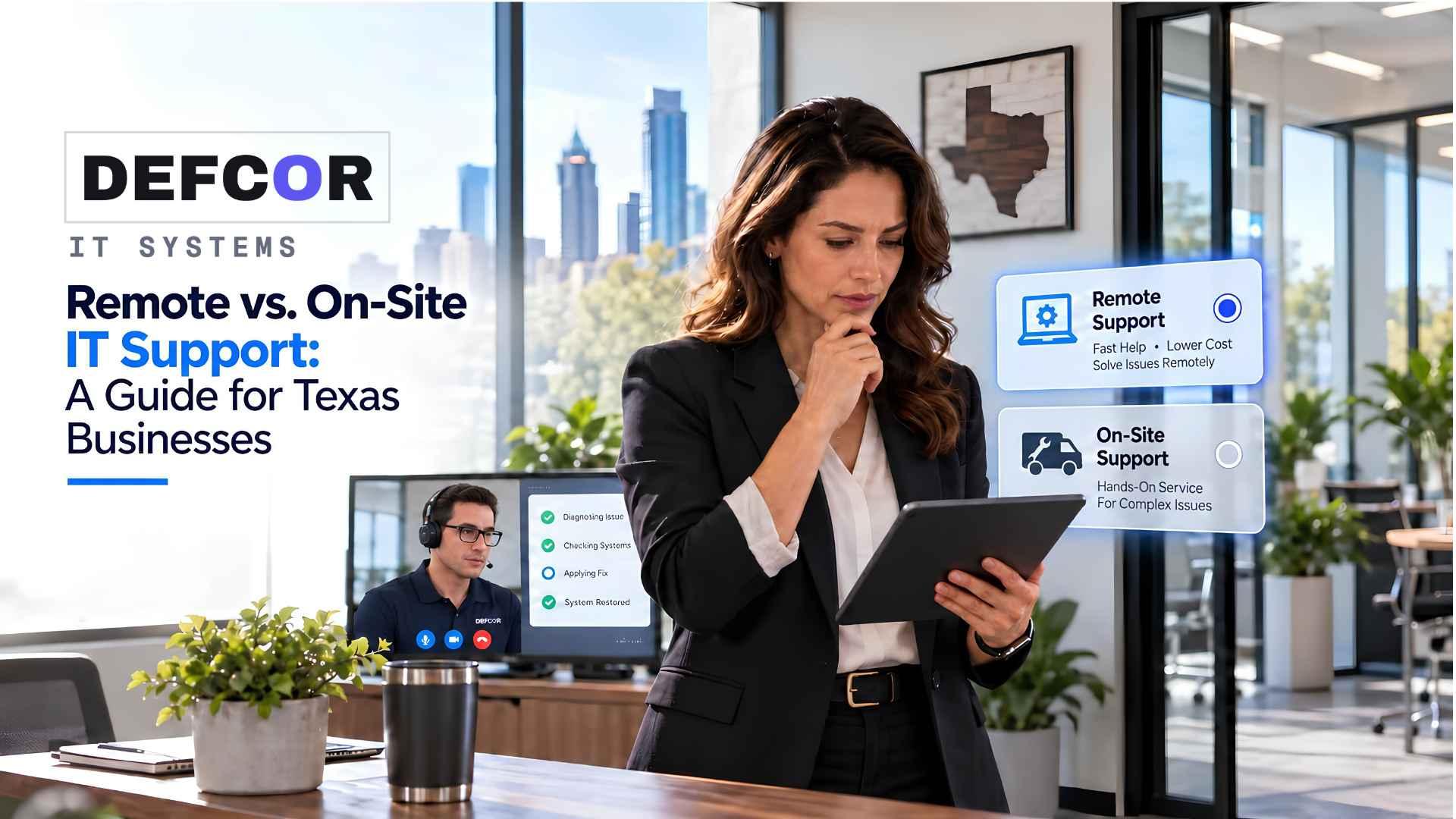
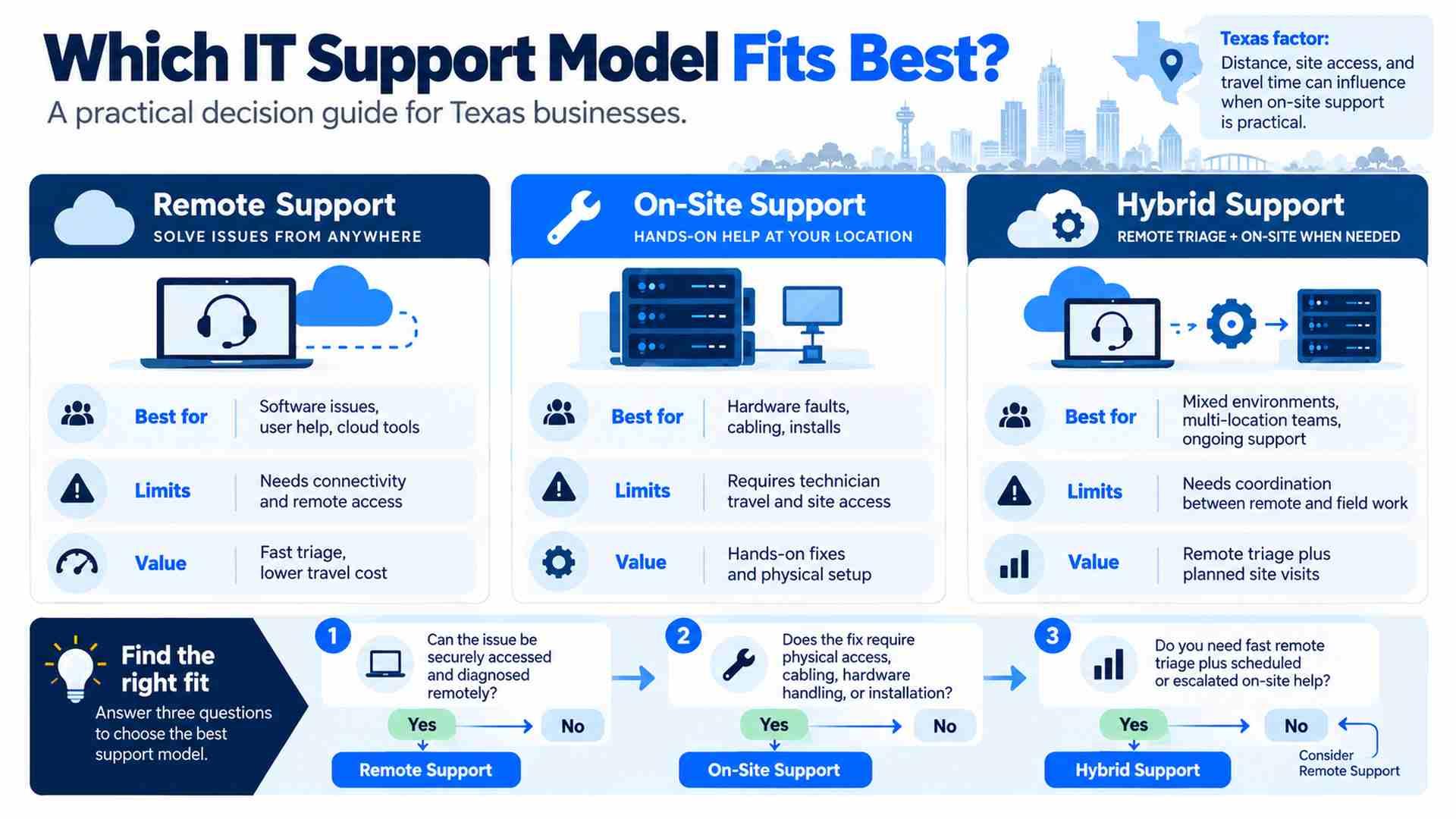
- 01.Start with remote support when systems are reachable and the likely fix is software or configuration; escalate on-site when physical access or testing is required.
- 02.Cloud-based businesses still need an on-site fallback for hardware, power, cabling, and connectivity failures.
- 03.Hybrid IT support works best when remote and field teams share clear ownership, documentation, and escalation rules.
- 04.Compare total support cost, including travel, emergency fees, parts, repeat visits, and vendor dependencies—not just the monthly fee.
What Remote Support Actually Covers
A receptionist cannot open the scheduling system. A law firm’s printer stops before a filing deadline. Elsewhere, a network switch loses power. All three are IT incidents, but they do not call for the same response. The practical question is simple: what restores work without unnecessary delay?
Choosing remote vs. on-site IT support starts with the equipment involved, the downtime the business can tolerate, and the local help available. An office that mainly uses online applications may need only occasional visits. A business that depends on local servers or specialized devices needs a defined physical escalation path before an outage happens.
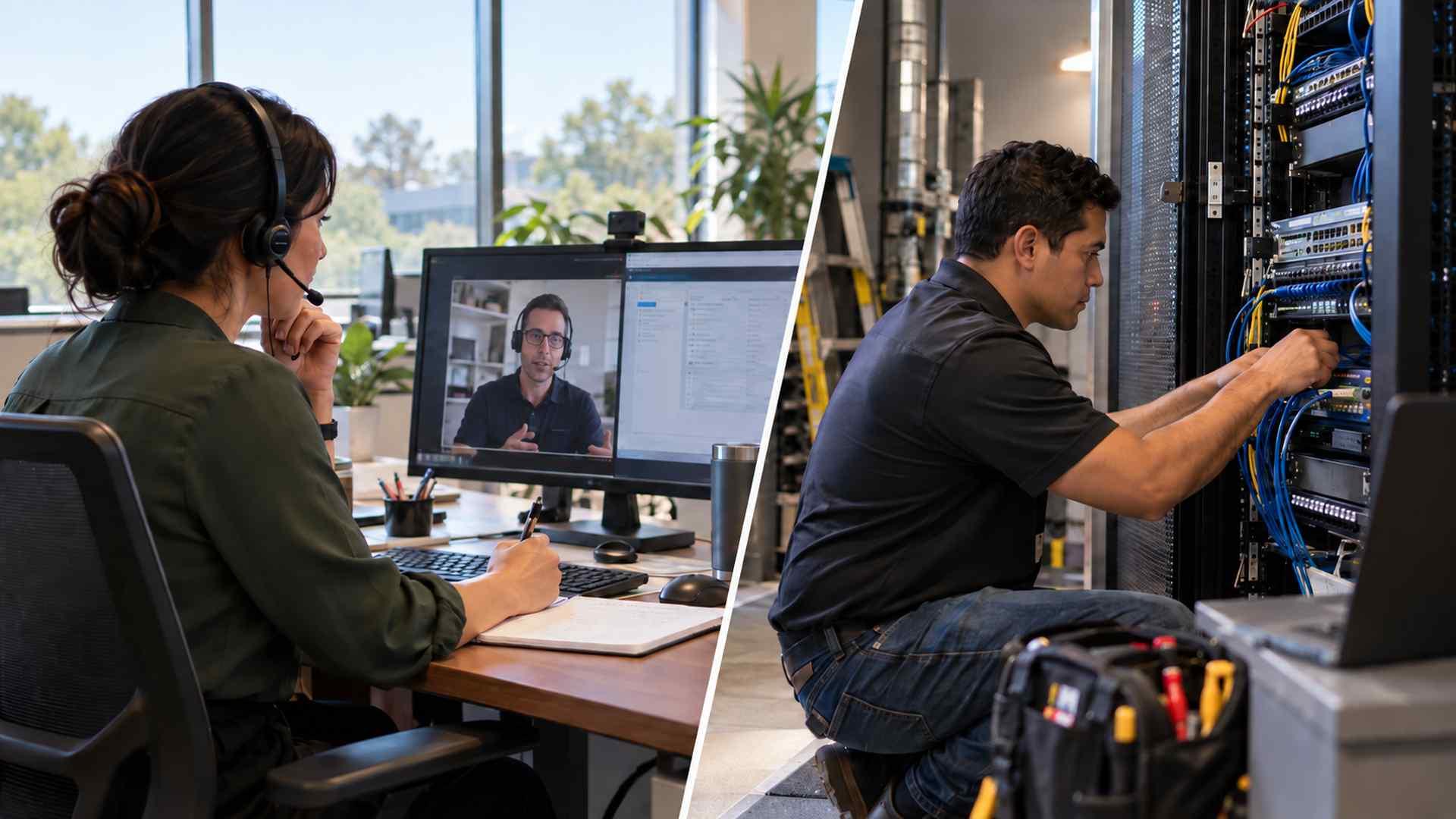
Remote support lets authorized technicians diagnose and manage systems without traveling. They can investigate application errors, adjust permissions, restore email access, or guide employees through a fix. It requires secure tools, verified requests, and access to the affected systems. A remote session is one option, not a prerequisite for every diagnosis.
Where a Remote Session Works Well
Consider an accounting office where three employees cannot sign in to an application. A technician can compare affected accounts, check service status, and investigate recent changes remotely. If other applications still work, sending someone to inspect every workstation is unlikely to be the best first step.
With remote vs. on-site IT support, the deciding factor is often what the technician can actually reach and change. An account error may be fixable through an administration portal even when the employee cannot sign in. A disconnected workstation may need someone nearby to reconnect it. Diagnose the access problem before assuming a visit is necessary.
What Cloud Support Does Not Solve
Remote describes how support is delivered; cloud describes the systems being supported. Remote technicians can manage office equipment as well as online services. Cloud IT support for small businesses can cover Microsoft 365 accounts, access controls, synchronization, and service settings, but it still depends on working devices and connectivity. A damaged cable or failed power adapter may still require help at the office.
When a Technician Needs to Be There
Physical service is needed for equipment installation, cabling, and repairs that cannot be performed remotely. A dental practice replacing a network rack needs someone to inspect the space, handle equipment, and test connections. Remote staff can prepare the configuration, but a technician must complete and verify the installation.
Hardware, Wiring, and Office Changes
Typical reasons for on-site IT support in Texas include failing network equipment, workstation deployment, cabling, and office moves. Specify the task, equipment, access arrangements, and likely parts beforehand. Without that preparation, the first visit may only establish what must be ordered, leaving the business waiting for a return trip.
Geography Changes the Service Promise
Coverage for on-site IT support in Texas should be confirmed by street address. A visit window in central Dallas may differ from one outside Beaumont. Establish travel charges and the fallback if the nearest technician is occupied. Employees can perform safe checks under guidance, but they should not repair electrical equipment or dismantle servers.
DEFCOR describes on-site services for hardware, networking, and office moves in Houston, Dallas, Austin, San Antonio, Beaumont, and surrounding communities, with qualified same-day targets for many urgent visits. Businesses should confirm the applicable scope and realistic arrival window for each location rather than treating that target as an unconditional guarantee.
Choosing Between Remote and On-Site Support for Everyday Incidents
Suppose staff cannot reach a tenant portal. Permissions, an internet failure, or an application outage could all cause the complaint. Triage establishes who is affected, what still works, and when the trouble began. Start with the disrupted business task so you can distinguish an inconvenience from an office that is unable to operate.
Use the Failure, Not the Device Name
Treat remote vs. on-site IT support as a diagnostic decision. Start remotely when systems remain reachable and the suspected fix concerns software or configuration. Escalate when physical testing is required, remote access is unavailable without a workable alternative, or repeated attempts produce no new evidence. Agree on that escalation threshold before an incident rather than letting remote troubleshooting continue indefinitely.
Ask the provider these questions about a likely outage. Look for an escalation trigger, an accountable person, and a recovery test. A quick visit means little without a plan for staff who are waiting to resume work:
What evidence triggers an on-site visit instead of another remote attempt?; Who owns the ticket when it moves between remote staff and field technicians?; How will you verify that the business workflow works after the repair?
Before handing over the ticket, record what was tested, what changed, and what remains uncertain. A field technician needs more than a note saying the network is down. Equipment details, diagnostic results, and business impact help determine which tools and parts to bring, reducing the risk of an unproductive first visit.
Why Hybrid IT Support Often Works Better
Hybrid IT support combines remote work with access to physical service. One provider may deliver both, or a remote team may coordinate a local contractor. Neither arrangement guarantees good support. What matters is whether documentation, authorization, and scheduling continue to work across that boundary when an incident needs to move from remote diagnosis to physical service.
Prevent the Same Failure from Returning
Imagine a home services company whose dispatch office loses connectivity. Remote staff check carrier status, other locations, and available monitoring. An unreachable switch could indicate power loss, an upstream fault, or hardware failure. A field technician tests those possibilities before replacing anything. Once connectivity returns, a dispatcher verifies that calling and job assignment work, and the incident record identifies the cause and repair.
A useful hybrid IT support review also asks what happens after the incident. If failed equipment caused the outage, update the inventory and check its warranty or replacement plan. If power was the cause, a new switch alone will not address it. The follow-up action should match the established cause.
Who Is Accountable for Delays?
When comparing remote vs. on-site IT support, separate acknowledgment, diagnosis, arrival, and resolution. Set severity according to business impact, not merely device type. A failed payment terminal can be critical in a single-checkout store. Written commitments should identify support hours, update intervals, and dependencies such as travel, parts, and vendor availability.
The contract for remote vs. on-site IT support should explain when an incident clock starts, what pauses it, and who provides updates during vendor delays. DEFCOR’s managed IT guide for Texas businesses places support within broader infrastructure planning. Use that context to define responsibilities; service commitments belong in your agreement.
Security, Continuity, and Cost Questions
Verify unexpected remote access requests through a known support number before approving a session. Ask whether technicians use individual accounts and multifactor authentication, how privileged access is limited, and which actions are logged. Specify who can authorize disruptive changes. For visits, provide controlled site access and protect sensitive information visible on screens or desks. Revoke provider access when the relationship ends.
Compare Total Cost, Not Just the Monthly Fee
For cloud IT support for small businesses, distinguish subscriptions from administration, migration, backup, and recovery testing. For physical service, compare travel charges, minimum billable time, emergency premiums, parts, and repeat visits. Have each provider price the same hypothetical incident, such as a failed covered workstation that needs replacement. Ask whether diagnosis, installation, and data restoration are included; comparing identical scopes exposes differences that monthly fees can hide.
Design a Fallback Before You Need One
A remote vs. on-site IT support plan needs an alternative when its normal connection fails. Staff should know how to reach the help desk by phone, who can unlock equipment rooms, and who approves purchases. If replacement hardware is unavailable, agree on a safe temporary workflow for essential tasks. Do not assume a backup can restore operations promptly without testing recovery.
Prepare on-site IT support in Texas by recording access contacts, purchase authorizations, and critical devices. A spare laptop may preserve one employee’s work, while a spare switch needs suitable configuration and a qualified installer. Stocking equipment without a replacement procedure offers limited protection; decide who can safely carry out each step.
How to Evaluate a Provider Before Signing
Evaluate remote vs. on-site IT support by the consequence of waiting. An office using online applications and spare laptops may tolerate separately arranged visits if it can continue essential work. A retailer with one checkout terminal has fewer alternatives. Where physical failure would stop operations, require a defined dispatch process and realistic arrival commitments rather than an informal promise to find someone.
Before buying hybrid IT support, review recent tickets and planned changes. Frequent equipment faults, new offices, or specialized devices can justify scheduled visits alongside remote coverage. For cloud IT support for small businesses, routine administration may remain remote even in a complex office. Buy physical capacity for the work that requires it, and specify who supports specialized equipment when its manufacturer restricts service.
Give shortlisted providers your device inventory, locations, operating hours, and one realistic outage scenario. DEFCOR’s IT systems and service overview is a starting point for that scope discussion. Request a written proposal identifying covered equipment, excluded work, field coverage, and vendor coordination. A provider that identifies an uncovered dependency before signing gives you something concrete to resolve.
Conclusion
For remote vs. on-site IT support, turn your five most disruptive failures into contract questions. Identify which ones need physical access, what staff can safely do while waiting, and how recovery will be verified. Choose coverage that matches those requirements. If the provider cannot explain the handoff for a realistic outage, resolve that gap before signing.
Frequently Asked Questions
Can remote support fix every IT problem?
No. Software and account issues may be resolved remotely, but damaged equipment, cabling, and installation often require physical access.
Does cloud software eliminate on-site support?
No. Online applications still depend on working devices, power, and connectivity. Local failures can prevent access to cloud services.
When is hybrid support worthwhile?
When your business needs routine remote administration and physical escalation. Coverage should match equipment, locations, and acceptable downtime.
Are urgent visits included in monthly fees?
Contract terms vary. Confirm travel charges, emergency premiums, parts, covered repairs, project exclusions, and who coordinates vendors before signing.
Defcor Team
. Part of the Defcor engineering team that builds and manages autonomous AI phone agents, IT systems, and automation infrastructure across Texas.